
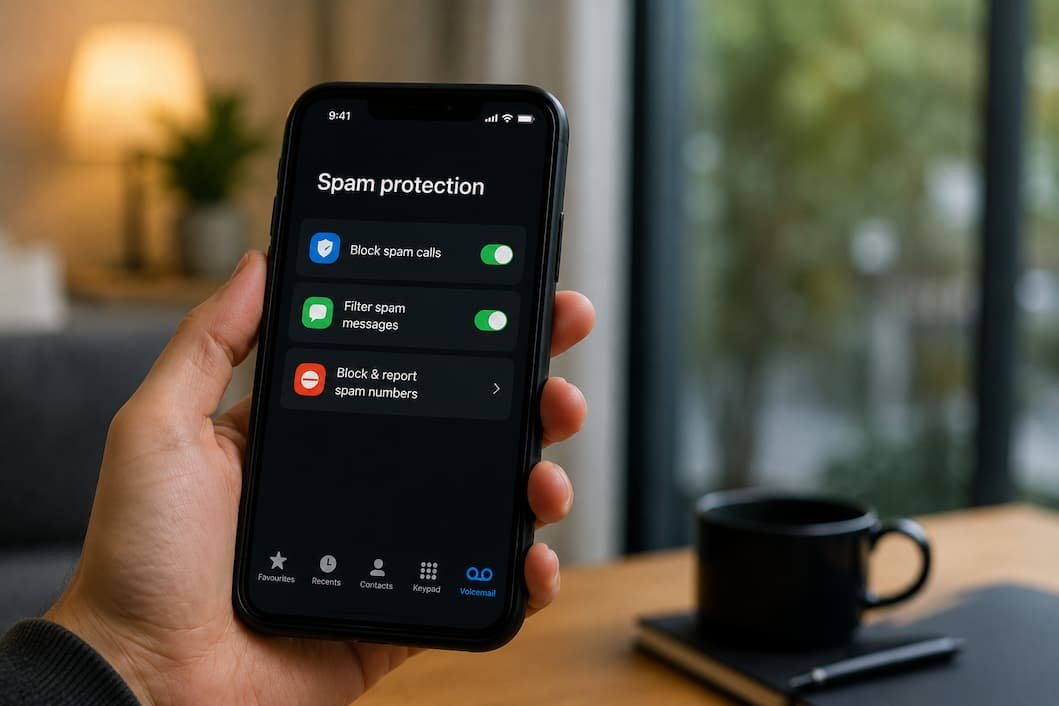
Fourteen spam calls today. Three before 8 AM. Two left voicemails — one in Mandarin, one claiming to be the IRS. Seven text messages: five delivery scams, one fake bank alert, one explicit photo solicitation that somehow knew my first name. This is Tuesday. Tuesday is not a heavy day.
I have been fighting this war for eight years. I have won no battles. I have merely reduced the enemy’s advance. The spammers adapt faster than any defense. Every block I build, they tunnel under. Every list I join, they buy my number from three others. The goal is not victory. It is survival with dignity. Here is what that looks like.
Do not answer unknown numbers. This is the first rule and the hardest. The phone rings. The number is local. Maybe it’s the dentist. Maybe it’s a delivery driver. Maybe it’s your kid’s school. The uncertainty is the weapon. Spammers spoof local numbers because they know you will hesitate.
I stopped answering two years ago. If it’s important, they leave a voicemail. If it’s a scam, they hang up at the beep. My voicemail greeting is three seconds long to minimize their patience. “Leave a message.” Beep. Done. Legitimate callers leave messages. Scammers move to the next number.
The cost: I miss some real calls. A contractor who didn’t leave a message. A friend with a new phone. I call back when I see the voicemail icon. The delay is acceptable. The spam reduction is significant. Estimates suggest 80% of spam calls disconnect if unanswered. The autodialer moves on. The human scammer loses interest. Silence is a shield.
The Local Number Trap
My own area code, my own prefix. The number looks like it could be my neighbor. It is not. It is a computer in another country, wearing my neighborhood as a mask. This is called neighbor spoofing. It exploits our social instinct to answer local calls. The defense is counter-instinctive: ignore the familiar. The unfamiliar is often safer. The familiar is often a lie.
Register on the Do Not Call list, but expect little. The National Do Not Call Registry in the US is a legal fiction. Legitimate telemarketers honor it. Scammers do not. The registry is a filter, not a wall. It removes the polite callers and leaves the predators. This is still useful — fewer interruptions overall — but it does not solve the problem.
Registration: donotcall.gov. Free. Takes two minutes. Verify your registration annually. The registry expires after some years. Re-register without shame.
Use your carrier’s blocking tools. Every major carrier offers free spam filtering. The quality varies. The implementation is often buried in account settings, as if they are embarrassed to admit the problem exists.
<
| Carrier | Free Tool | How to Enable | Effectiveness |
|---|---|---|---|
| AT&T | ActiveArmor | myAT&T app → Security → ActiveArmor | Moderate — blocks known spam, misses new spoofing |
| Verizon | Call Filter | My Verizon app → Account → Add-ons → Call Filter | Moderate — good database, slow updates |
| T-Mobile | Scam Shield | T-Mobile app → Account → Profile settings → Scam Shield | Moderate — blocks high-risk, allows borderline |
| Google Fi | Built-in filtering | Phone app → Settings → Spam and Call Screen | Better than most — Google’s data advantage |
Enable these tools. They are imperfect. They are free. They reduce the volume enough to matter. Do not pay for premium versions unless you have specific needs. The free tier handles 90% of the benefit.
Block and report individually. Every spam call or text that gets through should be blocked on your device. iPhone: tap the “i” next to the number, scroll down, Block this Caller. Android: long-press the number, Block/report spam. This trains your phone’s local filter. It also reports to carrier databases, slowly improving protection for everyone.
Reporting to the FTC helps statistically: reportfraud.ftc.gov. The report does not stop your specific spammer. It contributes to enforcement patterns. Enough reports on a number or campaign, and regulators or carriers may act. The effect is distant. The act is still worth doing.
The Block List Reality
I have 847 numbers blocked. The list is meaningless. Spammers rotate numbers weekly. A blocked number is a number already dead, already replaced by three others. The blocking is not prevention. It is archaeology. I am cataloging ghosts. The value is psychological — the illusion of action — not practical. The practical value comes from the carrier tools and the silence, not the individual blocks.
Enable spam filtering for texts. iPhone: Settings → Messages → Filter Unknown Senders. This separates texts from unknown numbers into a secondary inbox. You are not notified. You check it when you choose. Android: Messages app → Settings → Spam protection. Toggle on. Google’s algorithm filters known spam patterns. It is not perfect. It catches enough.
Never reply to spam texts. Not “STOP.” Not “UNSUBSCRIBE.” Not angry replies. Any reply confirms your number is active and monitored. The spammer sells your number to other spammers at a premium. “Active, responsive, engaged.” You become a valuable target. Silence is the only correct response. Delete without opening if possible. If opened, do not interact.
Use a secondary number for non-essential signups. Google Voice, Burner, or a cheap prepaid SIM. Give this number to retailers, delivery apps, contest entries, and any form that demands a phone number but does not need your real one. Your primary number is for humans. Your secondary number is for systems that will leak, sell, or abuse it.
I have maintained a Google Voice number for five years. It receives 90% of my spam. My primary number receives the remainder. The separation is not complete — some databases cross-reference — but the reduction is substantial. The cost is managing two numbers. The benefit is sanity.
The Secondary Number Philosophy
Your phone number is an identity. Treat it like one. You do not give your home address to every website. You use a PO box or a work address for strangers. Your phone number deserves the same compartmentalization. The secondary number is your PO box. It takes the junk. Your primary number remains clean for people who actually matter.
Review your number’s exposure. Search your phone number on Google. In quotes. See what appears. Old forum posts. Contest entries. Data broker listings. Real estate records. Each appearance is a leak point. Some you can remove. Some you cannot. The knowledge is the first step.
Data brokers sell your number. Opt out where possible. Whitepages, Spokeo, BeenVerified — all have opt-out processes. They are tedious. They are incomplete. They are still worth doing. Each removal reduces one pathway. The cumulative effect matters.
Consider call screening. Google’s Call Screen on Pixel phones answers unknown calls with an AI assistant that asks the caller to state their purpose. You see a live transcript. You choose to answer, hang up, or mark as spam. It is the most effective single tool I have used. The caller knows they are being screened. Legitimate callers state their business. Scammers hang up immediately. The AI does not feel social pressure. The AI does not hesitate. This is the advantage.
iPhone has Live Voicemail in recent versions — similar concept, different implementation. Third-party apps like Truecaller and Hiya offer screening on other devices. They require access to your contacts and call logs, which is a privacy trade-off. Evaluate whether the spam reduction is worth the data exposure. For me, it is. For others, it may not be.
The Screening Cost
Call screening delays every unknown call by 15-30 seconds. A doctor’s office calling to confirm an appointment. A delivery driver with a question. A friend whose phone died. All delayed. Some hang up before the screen completes. The cost is real. The benefit is also real. I accept the trade. You may not. There is no universal right answer. Only the answer that fits your tolerance for interruption versus your tolerance for spam.
Accept the permanent low-level noise. After all these measures, some spam still arrives. The systems leak. The databases refresh. The spammers innovate. The goal is not zero. The goal is manageable. Fourteen calls becoming four. Seven texts becoming one. The remaining intrusions are irritants, not invasions. You delete them without emotional response. They are weather, not catastrophe.
I used to rage at every spam call. Now I glance, block, and forget. The emotional energy I once spent on anger is now available for other things. This is the real victory. Not the elimination of spam. The elimination of spam’s power to disturb me.
Related Articles
- Easy Ways to Detect Suspicious Emails and Avoid Scams — Spam calls and spam emails share origins. The same data brokers sell both. This guide helps you recognize the email version.
- Safe Online Shopping Checklist to Avoid Fraud and Scams — Every online purchase exposes your number. This checklist minimizes that exposure.
- A Simple Cyber Safety Routine for Everyday Protection — Spam reduction is one component of a broader daily security habit. This guide connects the pieces.
- How to Audit Your Digital Footprint in Under 30 Minutes — Your phone number is part of your visible footprint. This audit shows where it appears and how to remove it.
- Fixing Weak Password Habits for Better Security — Spam callers sometimes combine with account breaches. Strong passwords prevent the compound attack.
Sources and References
<
- Federal Trade Commission. “National Do Not Call Registry.” donotcall.gov
- Federal Trade Commission. “Report Fraud.” reportfraud.ftc.gov
- Federal Communications Commission. “Robocalls and spoofing.” fcc.gov
- Google Support. “Call Screen on Pixel phones.” support.google.com
This article was written after tracking spam calls and texts for 90 days in early 2026, averaging 11 calls and 6 texts daily before filtering, 3 calls and 1 text after. The numbers are not victory. They are survival. The author has accepted this and moved on.
Daniel Kareem is a digital productivity and technology writer focused on simplifying everyday tech use. He creates practical guides on online safety, device optimization, and efficient workflows. His approach centers on clear, step-by-step advice that helps users stay organized, secure, and productive. Through straightforward and realistic content, he aims to make technology easier to understand and more useful in daily life.