
Table of Contents
ToggleMy laptop began acting strangely a few months back. The laptop was not old and wasn’t loaded with heavy software, but it still felt cluttered and slow. It took longer to open folders than usual, and it was difficult to find simple documents. The real problem was duplicate files. Multiple photos were saved and downloaded by accident, backups stacked upon backups and documents copied over the years into different folders. It happens to everyone. Slowly, duplicate files accumulate without warning. Downloading the same PDF two times, moving photos between devices or saving new versions of the document are all examples. This digital clutter takes up storage space over time and can make your computer difficult to use. One of the best digital organising skills you can learn is how to safely remove duplicate files.
Understanding how duplicate files are created
We don’t create duplicate files because we are careless. Duplicate files appear because copying is so easy with modern technology. Duplicates can be created every time you send yourself a document via email, upload photos from your smartphone, or back up your computer. Cloud storage services are also important. Multiple versions of a file are often created by sync errors or manual uploads. Even messaging apps can contribute to the problem by repeatedly downloading images. These small actions can add up to thousands of duplicates over the course of months and years. Understanding this can help remove the guilt that many people feel upon discovering duplicates. It’s not your fault. This is the natural result of using many devices and services every day.
How removing duplicates improves performance and organization
It isn’t just about saving space. This improves the overall digital experience. Search results are cleaner and quicker when duplicates are removed. Backup times are reduced because there is less information to process. Cloud storage is more cost-effective and organised. Also, you reduce the chance of accidentally editing the wrong version. Many people have edited a document, only to discover later that they were working on an old copy. This confusion can be reduced by removing duplicates. This creates confidence and clarity when managing files. You will feel your computer is lighter, faster and easier to use.
Take a safe mindset before you delete anything
People’s biggest fear is accidentally deleting important information. This is a valid fear. It is important to delete files safely, not quickly. It is best to assume that every file may be important unless proven otherwise. This prevents hasty decisions. Create a backup of all your files before you begin any cleaning. This backup is a safety net. You can easily restore anything you have accidentally deleted. The process is less stressful when you know that you have a back-up. You can confidently clean without fear of losing important data.
Create a backup safety net before cleaning
Backups are your best friend when it comes to duplicate cleaning. Before you begin, copy your files onto an external hard drive or to a trusted cloud service. It takes some time, but the peace of mind is worth it. Imagine taking pictures before you renovate your house. You hope that you will not need them but are thankful if anything goes wrong. After the backup, you can start the cleanup without any fear. This simple step transforms a potentially dangerous task into an easily manageable and safe project.
Learn to identify true duplicates vs similar files
It is not true that every file similar to another one is the same. Many beginners make this mistake. Duplicate files are identical copies with the exact same content. A similar file may look the same but have small changes. A document called “Report Final Updated” and a similar one named “Report Final” may appear the same but have important differences. Another example is photos. The original photo and a modified version, with filters or cropping, are both valuable. Both images are valuable. It is important to distinguish between true duplicates and useful variations. It is important to understand the difference between these two types of duplicates in order to safely clean up.
Use the built-in tools to find duplicate files
Your computer has tools to help you find duplicates. You can sort files using the search function. Sorting files by size can quickly reveal duplicates, as identical files are the same size. Sorting by the date can help you identify downloads that have been repeated. You will gain a better understanding of your file system if you spend some time exploring the built-in features. Manually navigating through the system is slower, but it’s extremely safe. This allows you to carefully review documents before making decisions.
Explore Trusted Software for Duplicate Finding in a Safe Way
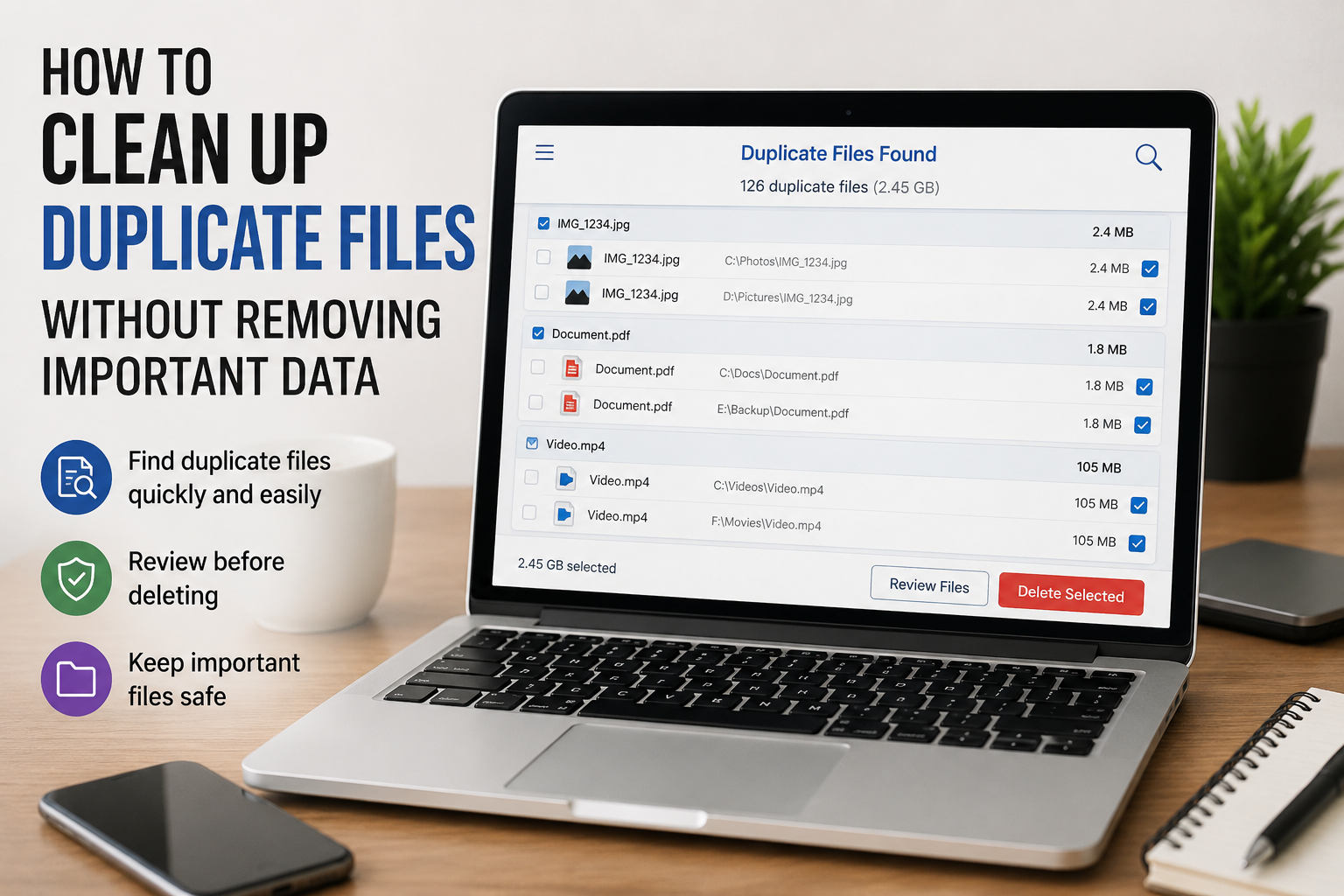
Software can be helpful when duplicates are a problem. These tools scan and highlight duplicate files automatically. It is important to choose a trusted software package and carefully review results. The best duplicate finder software compares file content and not just file names. This will ensure accuracy and prevent accidental deletion of important documents. Never delete files without first reviewing them, even when using software. Use the software to assist you, but not as a decision-maker. The most important thing is to use your judgement.
Create a smart deletion system that prevents mistakes
Move duplicates to a temporary folder before deleting them. This is like a “recycling bin before the recycling bin” – keep the duplicates there for a couple of weeks. You can safely delete the duplicates if you do not miss them. This method reduces the risk and removes any pressure. This gives you the time to verify that nothing important has been accidentally removed.
Build Habits that prevent future duplications.
It is good to clean up duplicates, but it is better to prevent them from happening again. Simple habits can be created, such as organising your downloads on a weekly basis, using a clear file name, and avoiding duplicates. Check if the photos or documents already exist. These small habits prevent duplicates from accumulating again. Preventing duplicates from building up saves you time and keeps the digital space in order.
Clean Digital Environment Benefits
The difference after a duplication cleanup is obvious. You will have more storage space, feel lighter in your folders, and find files easier. Digital clutter is no longer a source of stress. This feeling is often compared to the feeling of cleaning up a messy house. A clean digital space can increase productivity, decrease frustration and make computer usage more enjoyable. This simple project will have a huge impact on your everyday life.
Conclusion
Duplicate files slowly accumulate over time. You can safely remove duplicates by understanding how they form, creating a safety net of backups, identifying duplicates with care, using trusted software and built-in tools, and developing smart habits. Patience and caution are the keys. If done correctly, duplicate cleaning transforms your computer into a faster and more organised workspace.
FAQs
1. Is it safe to delete duplicate files?
You can delete files as long as, first, you make a copy and review them carefully before deleting.
2. How often should I check my files for duplicates?
Most users can benefit from a routine of every few months.
3. Do duplicate files slow my computer down?
They can be a problem for backups, searches and overall performance.
4. Is it safe to use duplicate finder apps?
Tools that are trusted can be used, but it is always best to review the files manually before deleting them.
5. What is the best way to remove duplicates?
If nothing is missing, move them into a temporary folder, wait for a few weeks and then delete them permanently.

Daniel Kareem is a digital productivity and technology writer focused on simplifying everyday tech use. He creates practical guides on online safety, device optimization, and efficient workflows. His approach centers on clear, step-by-step advice that helps users stay organized, secure, and productive. Through straightforward and realistic content, he aims to make technology easier to understand and more useful in daily life.