
Table of Contents
ToggleMost of us have more online accounts than we realize.
And I’m not just talking about the obvious ones—like email, streaming services, or social media. I’m referring to the forgotten, underlying accounts: old online shops, fitness apps used for only two weeks, forums from years ago, trial subscriptions, cloud tools linked to abandoned projects, and all sorts of obscure programs you logged into using a Google or Apple account.
The strange thing is that these accounts don’t simply vanish over time. They just sit there, quietly accumulating old personal data, outdated passwords, payment details, or unused permissions—all long since forgotten.
Then, one day, an old password suddenly surfaces in a data breach notification, and you suddenly remember that you once registered on a website you haven’t visited since 2018.
Deleting accounts is less about pursuing digital minimalism and more about avoiding unnecessary risks. The fewer accounts you have left lying around, the fewer potential security risks you face in the future.
Start With Email Instead of Password Managers
A lot of account cleanup guides immediately tell people to open their password manager and start deleting entries.
That helps if everything was perfectly organized from the beginning. For most people, it wasn’t.
Email inboxes are usually more revealing.
Search your inbox for phrases like:
- “Welcome to”
- “Verify your email”
- “Reset your password”
- “Subscription renewal”
- “Your account”
- “Free trial”
You’ll probably rediscover services you completely forgot existed.
One thing that helped me during a cleanup was searching year by year instead of trying to handle everything at once. Old newsletters and account confirmations often reveal patterns from certain periods — gaming accounts, productivity tools, shopping apps, cryptocurrency exchanges, or online learning platforms tied to specific phases of life.
The goal initially isn’t deletion. It’s visibility.
Separate Accounts Into Three Categories
Trying to delete everything immediately usually becomes overwhelming.
A simpler approach is grouping accounts into:
- keep
- review later
- remove
That sounds obvious, but it prevents people from getting stuck making decisions about every single account.
Some accounts still matter even if unused:
- tax services
- cloud storage
- old domain registrations
- payment platforms
- developer accounts
- government-related logins
Others are easier decisions:
- abandoned free trials
- inactive forums
- duplicate shopping accounts
- unused productivity apps
A common issue I noticed is people deleting accounts too quickly without checking what’s attached to them first.
Old accounts sometimes contain:
- invoices
- purchase histories
- saved documents
- warranty details
- exported project files
- authentication methods tied elsewhere
It’s worth slowing down before removing anything important.
Check Whether Passwords Were Reused
This stage is where old accounts become more than clutter.
Many forgotten accounts still contain old passwords that people may have reused elsewhere years ago. Even if you no longer use the service itself, exposed credentials can still create problems if the same password pattern survived across other accounts.
Something worth checking first:
- old email accounts
- shopping sites
- gaming services
- small forums
- outdated social apps
These are often weaker security targets than major platforms.
If an inactive account still exists and uses an old reused password, changing or deleting it matters more than people think.
Password managers help here because they can quickly reveal reused credentials across multiple logins.
Look at Connected Login Methods
One overlooked area during account reviews is connected sign-ins.
A lot of websites now allow:
- “Continue with Google”
- “Sign in with Apple”
- “Login with Facebook”
Over time, these linked permissions accumulate quietly.
One thing that surprised me during an audit was how many inactive apps still had ongoing access to:
- profile information
- email addresses
- calendars
- cloud storage
- contact lists
Even apps you stopped using years ago may still retain authorization.
Checking connected app permissions inside:
- Google Account settings
- Apple ID settings
- Facebook account permissions
- Microsoft account dashboards
often reveals far more than expected.
Sometimes revoking app access is enough without deleting the account entirely.
Old Shopping Accounts Deserve Extra Attention
Inactive shopping accounts can become risky because they often store:
- addresses
- phone numbers
- payment methods
- order histories
A common mistake people make is assuming expired cards automatically eliminate risk. Billing profiles may still contain personal information useful for identity fraud or phishing attempts.
Something worth checking:
- saved payment methods
- stored addresses
- old subscriptions
- archived invoices
If the account no longer matters, removing payment information before deletion is usually a good habit.
Also verify whether recurring subscriptions are still active. Small forgotten subscriptions sometimes continue quietly for months or years because people stopped noticing the charges.
Don’t Ignore Old Email Accounts
Forgotten email accounts create bigger problems than many inactive apps.
Old inboxes often remain connected to:
- password resets
- recovery codes
- banking alerts
- archived documents
- linked accounts
What usually causes trouble is abandonment without closure. People stop checking an address but never fully secure or delete it.
If someone gains access later, that inbox can potentially reset passwords for other services still connected to it.
A safer approach:
- Review linked services
- Update recovery emails elsewhere
- Enable two-factor authentication if keeping it
- Delete the address only after confirming nothing critical depends on it
Email accounts are infrastructure. They affect everything connected downstream.
Watch for Accounts Tied to Old Phone Numbers
This situation causes more issues than people expect.
Many forgotten accounts still rely on:
- old phone numbers
- outdated recovery emails
- inaccessible authentication apps
One thing worth checking first is whether old recovery methods still exist anywhere in your accounts.
Phone numbers eventually get reassigned. If an inactive account still uses a recycled number for recovery verification, that can create future security complications.
This issue becomes especially important for:
- financial platforms
- payment services
- cloud storage
- cryptocurrency accounts
- business tools
Some Accounts Are Better Archived Than Deleted
Not every inactive account should disappear completely.
There are situations where keeping an account — while securing it properly — makes more sense than deletion.
Examples include:
- tax platforms
- medical portals
- software licenses
- educational services
- professional portfolios
- old cloud backups
One thing that helped during my cleanup process was creating a lightweight archive list:
- service name
- associated email
- recovery method
- whether the account was deleted or retained
Not glamorous, but surprisingly useful later.
Without some documentation, people often repeat the same confusion years afterward trying to remember what was removed.
Data Export Options Matter
Some services permanently erase everything immediately after deletion. Others allow short recovery windows.
Before deleting accounts, check whether you need:
- purchase records
- exported photos
- saved notes
- account history
- invoices
- chat logs
A common issue I noticed is people realizing too late that important files were trapped inside accounts they already deleted.
Cloud productivity apps especially deserve caution here.
Beware of Fake “Delete Account” Buttons
Not every platform makes account removal straightforward.
Some websites:
- deactivate instead of deleting
- retain data indefinitely
- require support tickets
- bury deletion options deep in settings
Others continue sending emails despite supposed removal.
One practical habit is checking whether:
- the account actually disappears from login attempts
- confirmation emails arrive
- subscriptions truly stop
- app permissions are revoked
If a service behaves suspiciously during deletion, that itself says something about the platform.
Review Browser-Saved Logins Too
Browsers quietly accumulate years of stored credentials.
Checking:
- Chrome Password Manager
- Safari Passwords
- Firefox saved logins
- Edge password storage
often reveals accounts people forgot existed entirely.
This is also a good moment to remove:
- outdated autofill information
- old addresses
- expired cards
- duplicate credentials
One thing that stands out during these reviews is how much digital clutter builds invisibly over time.
A Practical Weekend Cleanup Approach
Trying to review every account in one session usually becomes exhausting.
A more realistic workflow:
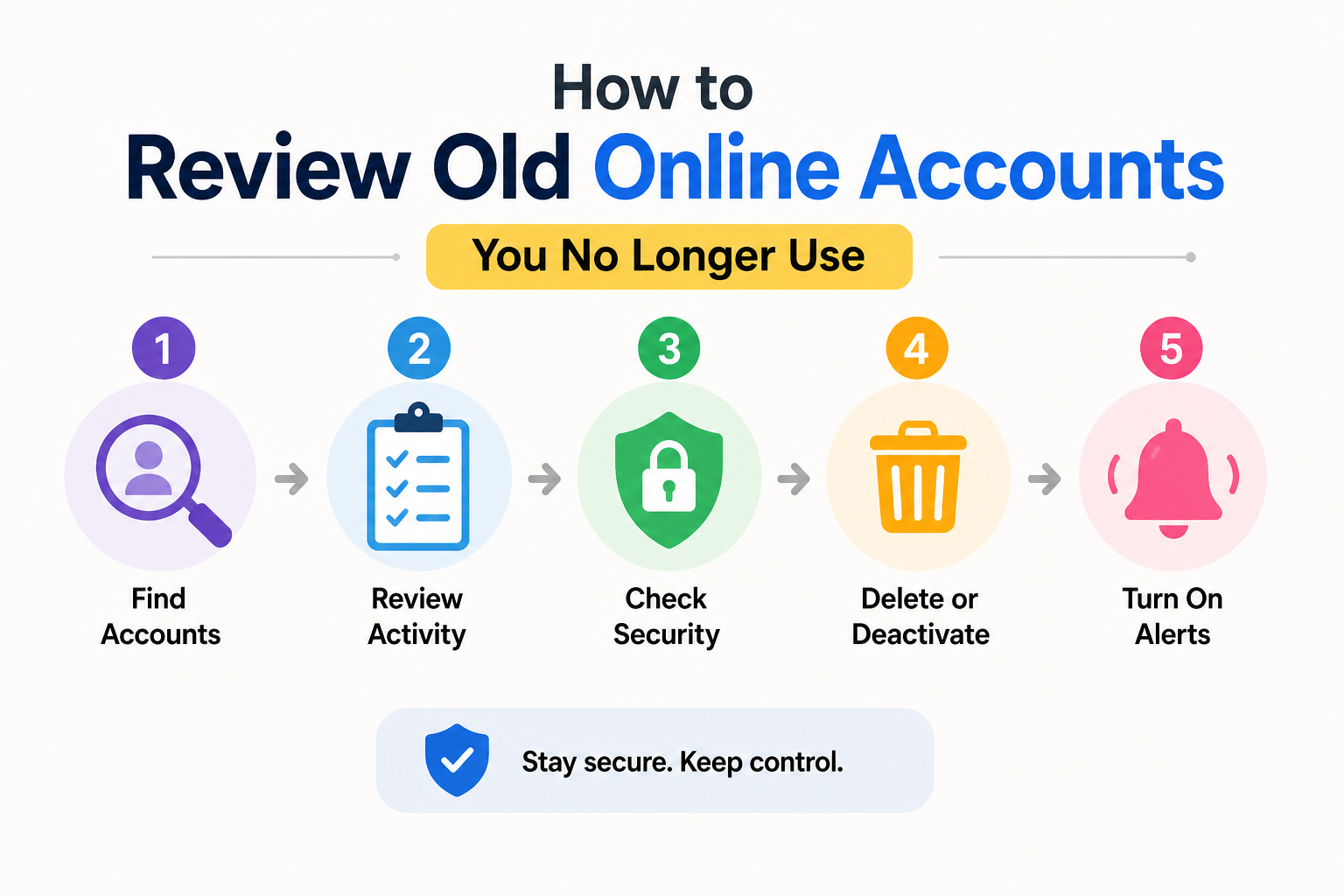
- Day 1: identify accounts
- Day 2: review security risks
- Day 3: remove or secure high-priority accounts
Focus first on accounts involving:
- payments
- personal identity
- sensitive files
- reused passwords
Those matter more than old hobby forums or abandoned game profiles.
Quick Signs an Old Account Should Probably Go
You likely don’t need the account anymore if:
- you haven’t logged in for years
- no purchases or records matter
- the service shut down partially
- security settings are outdated
- recovery options are inaccessible
- you no longer trust the platform
Sometimes the safest account is simply the one that no longer exists.
FAQs
Is it really necessary to go to the trouble of deleting old accounts?
Yes, especially if the account contains personal information, old passwords, payment details, or permissions for related apps. Inactive accounts can pose a security risk in the long run.
What if I forget the password for my old account?
Try resetting the password using the associated email address. If the reset fails and the account contains sensitive information, keep a close watch for suspicious activity on any linked accounts.
Should I remove saved payment methods before deactivating an account?
Usually, yes. This is a safer practice, especially on online stores or services involving recurring payments.
Are inactive accounts vulnerable to hacking?
Yes. Inactive accounts are often an easy target because users rarely check or change their passwords.
Are the “Sign in with Google” or “Sign in with Apple” options secure?
Yes, but it is advisable to periodically review the app permissions you have previously granted. Many inactive apps retain access even after you have stopped using them.
What’s the biggest mistake people make during account cleanup?
Deleting attachments without checking them first. Sometimes, old accounts contain important recovery links, invoices, documents, or authentication settings.
Conclusion
Typically, rarely used online accounts don’t seem to pose a threat because they remain out of sight.
And that is precisely why they are so easily overlooked.
However, over time, forgotten accounts turn into scattered fragments of personal information spread across various platforms that have long since been abandoned. Old passwords remain active. Recovery methods expire. Linked permissions continue to operate silently in the background.
The goal is not merely to check these accounts from time to time, but to completely erase your personal information from your digital life. It is about preventing unnecessary exposure and reclaiming control over the information that remains online under your name.
Clean up a few forgotten accounts to make your digital profile more organized and understandable.

Daniel Kareem is a digital productivity and technology writer focused on simplifying everyday tech use. He creates practical guides on online safety, device optimization, and efficient workflows. His approach centers on clear, step-by-step advice that helps users stay organized, secure, and productive. Through straightforward and realistic content, he aims to make technology easier to understand and more useful in daily life.