
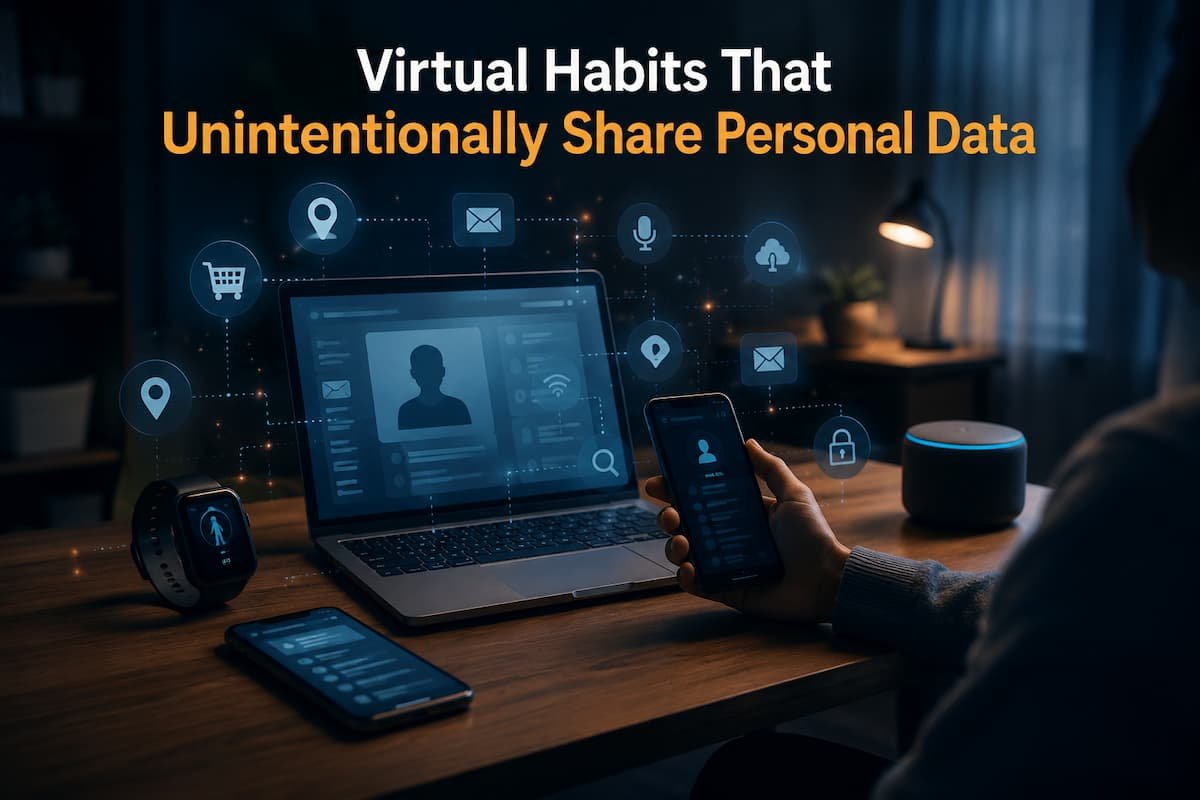
I screenshotted my PC error message a few months back to show a friend. I discovered something I shouldn’t have shared before mailing. My browser had online banking, a travel booking, and my home address in several tabs. Although not the focus of the screenshot, it would have been visible if I had clicked Send earlier.
That brief period reminded me that privacy goes beyond avoiding hackers and installing security software. We reveal much of our internet data through innocent habits. Those habits reveal a surprising amount about who we are, where we go, what we buy, and how we use technology. My awareness of these habits has grown as I recognized how much personal information I was providing without thinking. Most of these habits are convenient, so they’re simple to overlook.
Convenience Often Wins
Technology has mastered removing minor inconveniences. Browsers remember passwords, websites keep us signed in, shopping apps store payment info, and cloud services sync files across devices. Nothing is wrong with such features. Personally, I use many of them daily. The difficulty arises when convenience becomes automatic and we stop considering our exchange.
Staying signed in to dozens of websites saves time, but anyone with access to your unlocked device may have immediate access to much more information than you anticipated. The convenience and privacy trade-off exist.
Screenshot Stories Are Bigger Than We Think
One of the first suggestions for online technical help is “Send a screenshot.” That’s good advice, but screenshots often show more than the issue. Browser tabs, notification pop-ups, desktop icons, and the taskbar can reveal your employer, hobbies, and current applications.
Even glossy monitors reflect elements of the room behind them. They’re simple to miss until pointed out. Before sharing a screenshot, I now inspect the edges instead of simply the center. Cropping or obscuring information is easy and prevents oversharing.
Single-Account Signing Is Convenient—but Worth Reviewing
Buttons like “Continue with Google,” “Sign in with Apple,” and “Sign in with Microsoft” simplify account creation. I still use them, but I no longer consider them a one-time decision.
I check such accounts’ apps and websites every few months. It is surprising how many services were tested once, forgotten, and still remain accessible years later. This doesn’t mean their services are hazardous. Simply put, access accumulates quietly over time. Removing unused connections decreases exposure without disrupting daily services.
More Than Passwords Can Be Found in Browser Autofill
While most people think about saved passwords when discussing browser privacy, autofill stores considerably more. Your browser may store names, addresses, phone numbers, email accounts, and payment information, depending on your settings. This is helpful when filling out forms, but it also lets you automatically display much of your personal information with a click.
Personal computers can handle these tasks. It deserves more attention on a shared device, family computer, or borrowed laptop. I occasionally check my saved autofill information because old addresses, phone numbers, and payment methods often stay there after I forget about them.
Photos Show More Than Subject
I’ve noticed how much information is in everyday images’ backgrounds. A new laptop photo may show your work ID on the desk. A photo of your home office may show delivery labels, family photos, or handwritten notes on the wall. A smartwatch can show the time, location, and upcoming appointments.
These details rarely pose a threat. When combined, every single piece contributes to a larger picture. I now look beyond the subject before publishing images publicly. Much of the time, the background is more important.
Public Wi-Fi Isn’t Always Dangerous
Encryption and hackers dominate public Wi-Fi discussions. Both concerns are valid, but I’ve located another equally common issue. People in a hurry use public networks. Rushing can lead to logging into critical accounts, downloading sensitive data, or forgetting to disengage from shared devices. Not always is the network risky. We sometimes form habits in unfamiliar environments.
A few simple habits have helped me prevent mistakes:
- Avoid sensitive account access unless necessary.
- Check your network connection.
- Log out of shared computers before leaving.
- Disable automatic Wi-Fi connections if you rarely use public hotspots.
The majority of these habits take seconds but significantly reduce accidental exposure.
App Permissions Deserve a Second Look
When installing a new app, many of us quickly approve permission requests just to reach the main screen. Months later, we rarely remember what we allowed. I’ve found it useful to review permissions after I’ve been using an app for a while. At that point, I understand its features better and can decide whether each permission still makes sense.
For example, a navigation app obviously needs location access while it’s helping me travel. But if I only use it occasionally, allowing constant background access may not provide any real benefit. Reviewing permissions periodically feels much more practical than trying to make every privacy decision during installation.
Cloud Sharing Links Can Stay Active Longer Than Expected
Cloud storage simplifies document sharing. We send links instead of giant files in emails. Unfortunately, many of those links stay active after their purpose.
Sometimes I find sharing links in old cloud folders from months or years ago. Some were still accessible to anyone with the URL since I never disabled them. After collaborating on a project, I check whether I still need those shared connections. A minor habit keeps old records from being accessible forever.
Small Online Quizzes Can Gather More Than Answers
Many online personality quizzes, trivia games, and “find out which character you are” articles appear innocent. Entertainment is often their purpose. The problem is that some of these services require information not needed for the quiz.
Quizzes have requested social media profiles, email addresses, birthdays, and demographics before revealing results. Each piece of information may seem unimportant, but together they form a thorough profile of your interests and activities. I frequently abandon a basic questionnaire that requests for personal information unrelated to its objective. Results are rarely valuable enough to justify sharing extra data.
Your Shopping History Reveals more than You Think
Online shopping goes beyond purchases. Wish lists, saved items, product evaluations, and repeated searches might expose your habits, interests, and future intentions. For a home renovation, pregnancy, or long trip, someone may spend weeks researching related products before buying. Browsing patterns might show many orders.
No need to cease using purchasing sites. I avoid having years of forgotten wish lists and saved items in multiple accounts. I periodically delete things I won’t buy and review accounts I haven’t utilized.
Bluetooth Needs Not Always Be On
Headphones, laptops, smartwatches, and other accessories benefit from Bluetooth. Because it works so well, you almost forget it’s on. All my devices were always on Bluetooth. I realized there was no point in keeping it active when I wasn’t using wireless equipment.
Turning Bluetooth off doesn’t prevent attacks—modern devices have security—but it helps minimize device visibility, save battery life on portable devices, and simplify settings. One of those behaviors that involves little effort but encourages purposeful connectivity.
Old Accounts Matter Too
I was startled by how many online accounts belonged to services I hadn’t used in years. Some had outdated addresses, phone numbers, profile images, and payment methods. Others had permissions to my daily accounts.
I evaluate older accounts instead than creating new ones every month. If I won’t use a service again, I delete my account or remove outdated information. Less forgotten information online reduces your digital footprint.
Some Privacy Habits That Made the Most Difference
Instead of trying to stay anonymous online, I’ve changed a few daily routines to prevent unneeded exposure.I value these most:
- Check your Google, Apple, or Microsoft apps.
- Check screenshots before sharing.
- Old browser extensions should be removed.
- Recheck app permissions every few months.
- Disable unused cloud-sharing links.
- Get rid of unused online accounts.
- Remove old autofill data.
- Turn off Bluetooth while not in use.
Though simple, these tweaks make your digital life more thoughtful.
Convenience vs. Hidden Privacy Cost
| Everyday Habit | Hidden Privacy Cost |
|---|---|
| Staying signed in everywhere | Easier access if someone uses your unlocked device. |
| Sharing screenshots without checking | Background information may reveal more than intended. |
| Saving every browser autofill entry | Old personal details remain stored for years. |
| Leaving cloud-sharing links active | Documents may stay accessible longer than expected. |
| Granting permanent app permissions | Apps may continue accessing information you rarely use. |
| Never reviewing online accounts | Forgotten services continue storing personal data. |
My Six-Month Privacy Reset
Twice a year, I spend about twenty minutes reviewing a few areas that are easy to forget. I don’t treat it as a major security project. It’s simply a chance to remove old digital clutter before it becomes permanent.
My routine usually includes checking connected accounts, reviewing browser extensions, removing unused cloud-sharing links, confirming recovery email addresses, deleting applications I no longer use, and looking through saved autofill information. Most of the time, I don’t discover anything alarming. That’s actually the goal. Regular reviews keep small issues from becoming larger ones.
Final Thoughts
I’ve come to realize that protecting personal information isn’t about avoiding technology—it’s about using it with a little more awareness. The biggest privacy risks in everyday life rarely involve sophisticated hacking techniques. More often, they come from small decisions repeated hundreds of times: clicking Allow without thinking, forgetting old accounts, sharing screenshots too quickly, or leaving permissions unchanged simply because nothing seems wrong.
What has made the most significant difference for me isn’t becoming more suspicious of technology. It’s becoming more deliberate about the information I choose to share and reviewing those choices from time to time instead of assuming they’re still appropriate.
FAQs
1. Should I stop using cloud storage if I’m concerned about my privacy?
Not necessarily. Using cloud storage wisely is actually very beneficial. Regularly checking shared links, enabling two-factor authentication, and deleting files you no longer need to share are generally more effective than avoiding cloud services altogether.
2. Are Google and Apple logins unsafe?
These login methods are both safe and convenient. It is important to regularly check which apps and websites still have access to your account and to remove connections you no longer need.
3. How often should I check app permissions?
For most people, checking every few months is sufficient. This is especially important after installing several new apps or following a major operating system update that introduces new privacy settings.
4. Why should I check before sharing screenshots?
Screenshots often include browser tabs, notifications, usernames, email addresses, desktop files, or other information that you shouldn’t share. A quick check before sending helps prevent accidental data leaks.
5. Should I delete all my old online accounts?
Not necessarily. If you still use a service occasionally, updating your details might be enough. However, it is worth revisiting accounts you abandoned years ago, as they often continue to store your personal data long after you’ve forgotten about them.
A Better Approach to Digital Privacy
You don’t have to make all your changes at once to improve your privacy. Start by paying attention to habits that happen almost automatically, such as sharing screenshots, logging into other websites, or approving permission requests without reading them.
These daily decisions might seem insignificant, but they are the easiest ones to improve. Over time, well-considered habits will protect your personal data more effectively than constantly chasing the latest privacy trends.

Daniel Kareem is a digital productivity and technology writer focused on simplifying everyday tech use. He creates practical guides on online safety, device optimization, and efficient workflows. His approach centers on clear, step-by-step advice that helps users stay organized, secure, and productive. Through straightforward and realistic content, he aims to make technology easier to understand and more useful in daily life.