
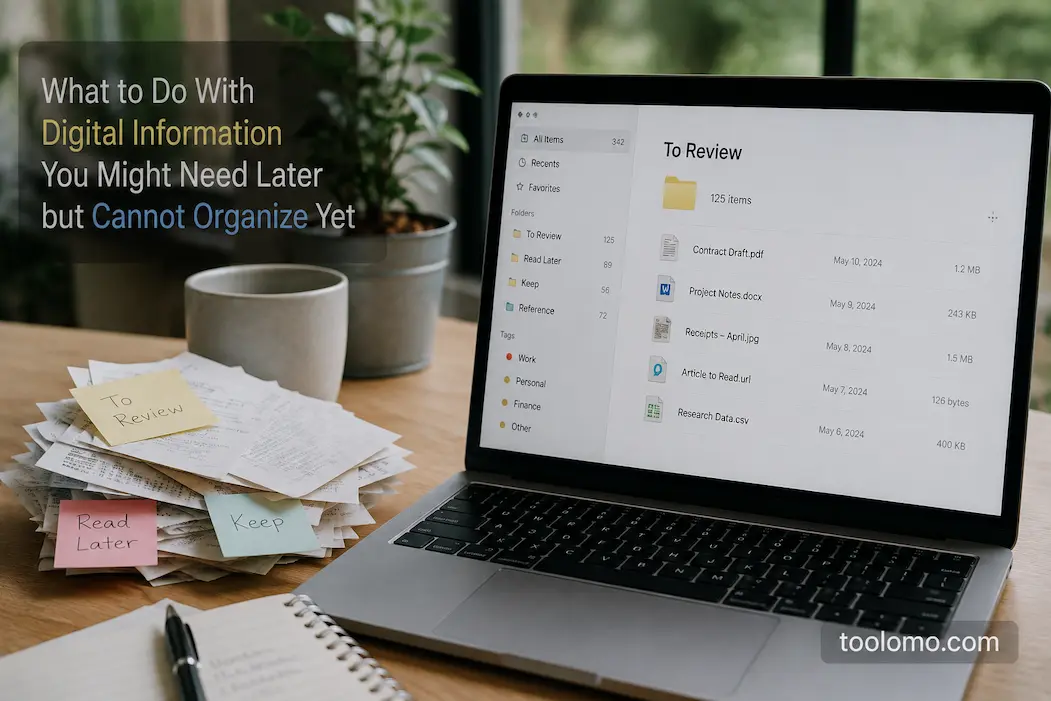
Digital information has a habit of accumulating in the space between “important” and “not sure yet.” It might be a screenshot you took for a reason you cannot quite remember, a PDF you may need for an upcoming project, a useful webpage you have not had an opportunity to read, or a document that is no longer urgent but still feels too valuable to delete. The problem is that these items rarely fit neatly into the systems people create for active work. If you force every piece of information into a detailed folder structure immediately, organizing can become more work than the information itself is worth.
A better approach is to give uncertain information a temporary home without pretending that every item already has a permanent place. This creates a middle ground between keeping everything scattered across downloads, screenshots, browser tabs, email, and random notes and spending hours organizing material that may never become useful. The key is to make the temporary system simple enough to maintain and reliable enough to find what you need.
Not Everything Needs A Permanent Home Immediately
One reason digital organization becomes difficult is the expectation that every file or piece of information should be categorized as soon as it appears. That sounds sensible until you have dozens of small items arriving throughout the day. A screenshot may be relevant to your work but not important enough to deserve its own folder. A downloaded document may be useful later, but you may not yet know which project it belongs to. A webpage may contain an answer you could need months from now, but its relevance may depend on circumstances that have not yet occurred.
Trying to make a permanent decision about every item creates unnecessary friction. You can spend several minutes choosing a folder, naming a file, adding tags, and deciding whether something belongs in one project or another, only to discover later that you never needed it. That is why a temporary holding area can be useful. It acknowledges that some information has value, while its final purpose is not yet clear.
The important distinction is between temporary storage and permanent neglect. A temporary location should not become a digital junk drawer that grows forever. Its purpose is to delay the organizational decision until you have enough context to make a better one.
Create One Clear Holding Area
The simplest solution is usually one dedicated place for information that you might need later but cannot properly organize yet. Depending on the type of information you collect, such a location could be a folder, notebook, note, cloud-storage location, or saved-items area in an application you already use.
The important part is not the name of the location. The key is knowing exactly where it is and not creating five different versions of the same idea. If screenshots go into one folder, saved PDFs into another, browser bookmarks into a third, and uncertain notes into a fourth, you have technically organized the information but made retrieval more complicated. A single holding area is easier to remember and easier to review.
You can give the location a simple name such as “Review Later,” “Unsorted,” or “Reference Inbox.” Avoid creating a complicated hierarchy inside it unless you genuinely need one. The purpose of the area is to reduce decisions, not create another filing system that requires constant maintenance.
Give Each Item Just Enough Context
A temporary storage system works much better when you can understand why something was saved. Without context, an old screenshot or downloaded file can become almost impossible to identify later.
You do not need to write a long description for every item. A short note, useful filename, or date can be enough. For example, instead of leaving a screenshot named something like IMG_4827.png, rename it to something that explains its purpose. A downloaded PDF might benefit from the source name and subject rather than a generic filename generated by the website.
The goal is not perfect metadata. It is future recognition.
When you return to the item weeks later, you should be able to answer three basic questions: What is this? Why did I save it? What might I need it for? If you can answer those questions quickly, the item is much more likely to remain useful.
Use A Lightweight System For Different Types Of Information
Not all temporary information behaves the same way. A screenshot, document, webpage, and idea may require different storage methods, but they can still follow the same overall principle.
| Information | Practical Temporary Location | Useful Context |
|---|---|---|
| Screenshots | Dedicated review folder | What the screenshot relates to |
| PDFs and documents | Temporary reference folder | Subject or possible project |
| Web pages | Browser reading list or saved collection | Why the page may matter |
| Ideas | Notes app or quick-capture note | One-sentence explanation |
| Downloaded files | Temporary downloads area | Source or intended use |
| Useful email | Dedicated reference label or folder | Why it may be needed later |
The point is not to create a rigid universal system. If your current tools already have a useful place for certain information, use them. What matters is consistency. You should not have to remember a different strategy every time you save something uncertain.
Avoid Turning Your Downloads Folder Into The System
The Downloads folder is one of the most common places where uncertain information accumulates. It is convenient because almost every computer puts downloaded files there automatically, but convenience can turn into confusion when the folder becomes a mixture of invoices, installers, documents, images, duplicates, and files that were downloaded only to inspect once.
You do not necessarily need to empty Downloads every day. Instead, distinguish between files that are simply passing through and information you actually intend to retain. Once you know that a document matters, move it to an appropriate permanent location. When in doubt about its importance, put it in your temporary holding area instead of letting it get mixed in with everything else.
This small distinction makes the Downloads folder easier to understand. It becomes a staging area rather than an accidental archive.
Do Not Save Information Solely Because It Might Be Useful
There is an important limit to any “save it for later” system: not everything deserves to be saved.
Digital storage is cheap enough that people often treat space as the problem when the real problem is attention. Every saved article, screenshot, PDF, and bookmark creates another piece of information you may eventually need to evaluate. Saving hundreds of things because they might be useful can make genuinely valuable information harder to locate.
Before saving something, ask yourself whether there is a realistic reason you might return to it. If the answer is vague but still meaningful, temporary storage makes sense. If you are saving it simply because deleting it feels uncomfortable, it may not deserve a place in your system.
This distinction becomes especially important with online articles. If you already know that you are unlikely to read a page or use its information, saving it indefinitely does not necessarily improve your organization.
Separate “Review Later” From “Keep Forever”
One of the most useful improvements you can make is separating information that needs a future decision from information that has already earned permanent storage.
For example, an important tax document belongs in a permanent records system even if you do not currently need it. A webpage about a software feature you might use someday does not necessarily deserve the same treatment. The first item has a known purpose and retention value. The second is uncertain.
Keeping these categories separate prevents your temporary collection from becoming a second permanent archive.
A useful rule is simple: temporary information should have a reason to be temporary. If you already know that something belongs in your permanent records, please file it properly. If you know that something has no future value, please remove it. The temporary area is for the genuinely undecided material in between.
Give The Collection A Review Date
A holding area without a review habit will eventually become another junk drawer. You do not need to inspect it every day, but you should give it some kind of recurring review point.
For many people, a weekly or monthly review is enough. The appropriate interval depends on how much information you collect and how quickly it becomes outdated. Someone who saves dozens of project-related documents each week may benefit from a weekly review, while someone who saves a handful of reference items each month may only need to review the collection monthly.
During the review, you do not have to reorganize everything perfectly. Make simple decisions:
- Keep and file it if it has earned a permanent place.
- Keep temporarily if there is still a clear reason to wait.
- Delete it if its usefulness has disappeared.
- Update the context if you can no longer remember why it matters.
This prevents the temporary collection from becoming an archive by accident.
Be Careful With Information That Can Change
Some information becomes outdated much faster than people expect. Software instructions, prices, product specifications, website policies, event details, contact information, and online documentation can change after you save them.
If you store this type of information for future reference, note when you saved it and, when useful, where it came from. This makes it easier to recognize when you should check the information again rather than trust it automatically.
A saved webpage is not necessarily a permanent source of truth. Even a document that was accurate when downloaded may be outdated later. If the information affects an important decision, treat the saved copy as a reference point and verify it against a current source when you eventually need it.
Handle Sensitive Information Differently
Temporary storage should not become an excuse for careless handling of sensitive data. Screenshots, downloaded documents, saved emails, and notes can contain information that you would not want exposed to someone else who gains access to your device or account.
Be particularly careful with identity documents, financial information, account details, private correspondence, work documents, and anything containing personal information. These items deserve a secure and appropriate storage location rather than an indefinitely growing temporary folder.
If you no longer need a sensitive file, deleting it from one location may not necessarily remove every copy. Consider where duplicates, cloud synchronization, email attachments, or device backups may exist. You do not need to become obsessive about every file, but sensitive information deserves more deliberate handling than an ordinary saved article.
Make Finding Something Later Easier Than Saving It Now
Good temporary organization is not really about making the storage process elaborate. It is about reducing the amount of detective work required when you return to something later.
A useful filename can often do more than a complicated folder structure. A short note can be more useful than ten tags. A consistent location can be more valuable than a highly customized organizational system that you forget how to use.
Think about your future self as another person using the system. They will not remember exactly what you were thinking when you saved the item. They need enough information to understand why it exists and where to look for it.
That mindset naturally leads to simpler systems. Instead of asking, “How can I organize this perfectly?” ask, “What would help me recognize and use this six months from now?”
When A Temporary System Stops Working
There is a point where a holding area can become too large to remain useful. If you have hundreds or thousands of items waiting for a decision, the system may no longer be temporary.
That does not necessarily mean you need to reorganize everything manually. Start by identifying the most important information and dealing with recent items first. Older material can be reviewed in batches, and genuinely obsolete information can often be removed without extensive categorization.
If the collection keeps growing despite regular reviews, look at why. Perhaps the system has too many capture points, or perhaps you are saving information without a clear reason. Maybe the review interval is too long, or the temporary area is being used for permanent records.
The solution is usually to simplify the process rather than add another layer of organization.
A Simple Rule For Uncertain Information
Digital organization becomes much easier when you accept that not every piece of information needs an immediate permanent decision. Some material is genuinely uncertain, and giving it a controlled temporary home is better than forcing it into an inappropriate category.
The important part is keeping that temporary system limited. Use one clear holding area, give saved items enough context to understand later, separate temporary material from permanent records, and review the collection regularly. Most importantly, be willing to delete information when its usefulness has disappeared.
You are not trying to create a perfect digital filing cabinet. You are trying to make sure that useful information does not disappear into clutter while avoiding the opposite problem of keeping everything forever. A simple system that you actually maintain will usually outperform a sophisticated organizational method that requires more effort than the information is worth.
Frequently Asked Questions
Is It Better To Save Everything Until I Know Whether I Need It?
Not necessarily. Saving everything can make useful information harder to find and creates a growing maintenance burden. A temporary holding area works best when you use it for information that has a reasonable possibility of becoming useful, rather than as a place where every uncertain file or webpage is permanently stored.
How Often Should I Review Temporary Digital Information?
A weekly or monthly review works well for many people, but the right interval depends on how quickly your collection grows. If you save information frequently, review it more often. The important thing is having a recurring point where temporary items are either filed, retained for a reason, or removed.
Should I Organize Temporary Files Into Lots Of Folders?
Usually, no. Too many folders can make a temporary system unnecessarily complicated. Start with one clear location and only add categories when you repeatedly encounter a genuine need for them. The purpose of temporary storage is to postpone complex decisions, not create more of them.
What Should I Do With Saved Web Pages?
Keep useful pages in a dedicated reading list, saved collection, or reference system that you already check. Remember that online information can change or disappear, so important information should be verified against a current source when you eventually rely on it.
How Do I Know When Something Should Be Deleted?
Ask whether you can identify a realistic future use for it. If the information is outdated, duplicated, no longer relevant, or was saved without a clear reason, deleting it may be the better choice. For anything sensitive or difficult to replace, take more care before removing it.
The Goal Is Controlled Uncertainty, Not Perfect Organization
There will always be digital information that does not fit neatly into today’s priorities. Trying to permanently organize every item the moment it arrives is neither practical nor necessary. What matters is making sure uncertainty has a controlled place to go.
A simple temporary system gives you that breathing room. You can capture information without losing it, postpone the organizational decision without forgetting it, and eventually decide whether it deserves a permanent home. With a clear location, useful context, and regular review, your temporary collection can remain small enough to manage.
Good digital organization is not about knowing exactly where everything belongs at every moment. Sometimes it is simply about knowing where the undecided things are and giving yourself a reliable way to deal with them later.

Daniel Kareem is a digital productivity and technology writer focused on simplifying everyday tech use. He creates practical guides on online safety, device optimization, and efficient workflows. His approach centers on clear, step-by-step advice that helps users stay organized, secure, and productive. Through straightforward and realistic content, he aims to make technology easier to understand and more useful in daily life.