
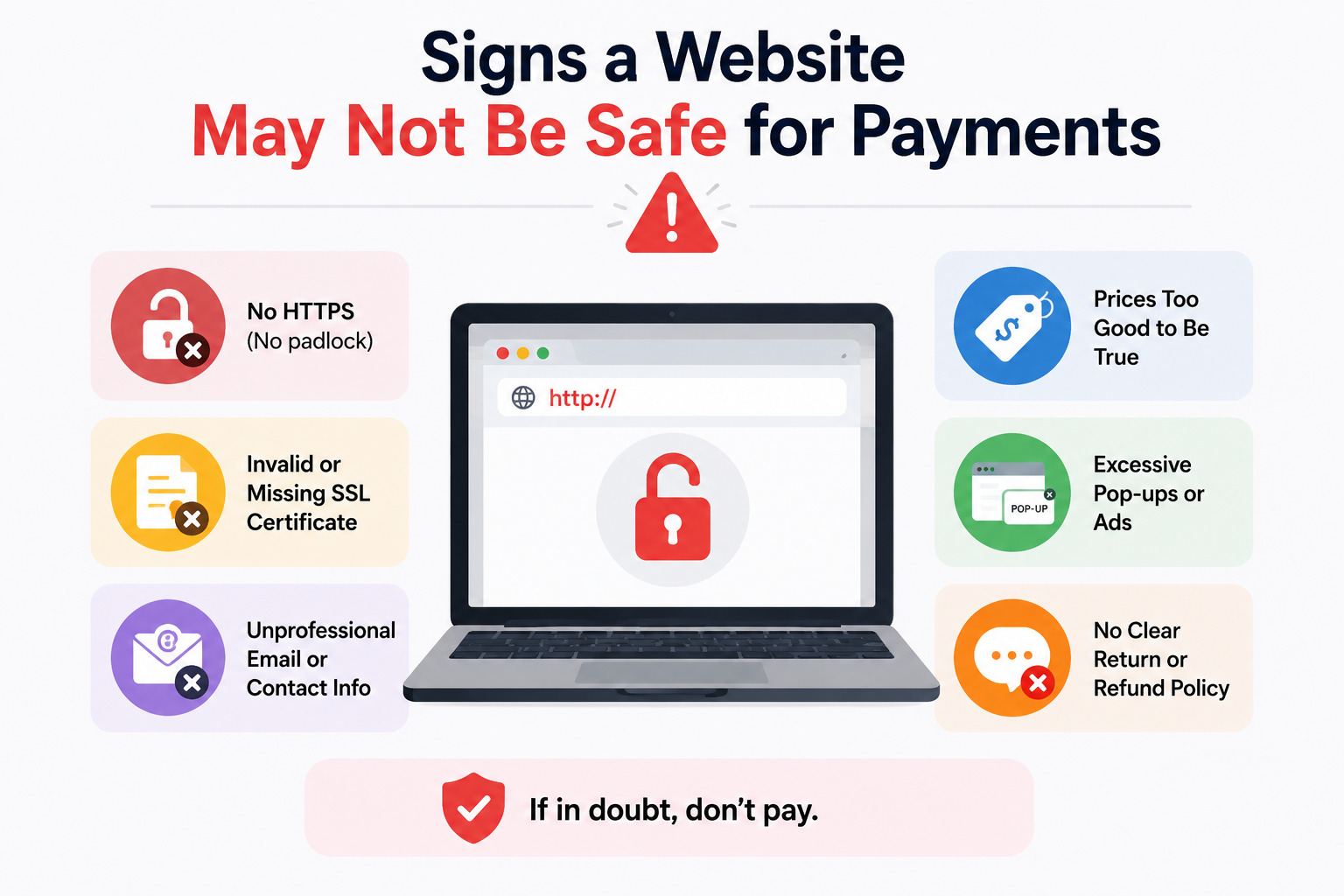
Most users only realize a website is suspicious during the checkout process.
Prices can be shockingly low. The payment page might look a little odd, but it doesn’t immediately appear fake. Sometimes people simply have a vague feeling that the website was thrown together in a hurry. By the time they become suspicious, their card number may have already been entered.
The trick is that, nowadays, insecure payment websites often don’t look all that bad. In the past, fraudulent pages were riddled with flashy banner ads, grammatical errors, and obvious design flaws. Many websites look very authentic at first glance.
A polished homepage proves nothing.
What really matters are the details—the things people often overlook when they are in a rush to make a purchase.
When a Deal Feels Unusually Aggressive
Discounts are normal online. Extreme pressure tactics are where things start getting questionable.
A common pattern on risky websites looks something like this:
- “Only 2 left in stock”
- Countdown timers resetting after refresh
- Massive discounts on every product
- Constant pop-ups demanding immediate checkout
- Claims that the sale ends in minutes
Legitimate stores use marketing too, of course. The difference is consistency.
One thing that helped me filter suspicious sites faster was checking whether the pricing made sense across the entire store. Scam sites often apply unrealistic discounts to everything equally. A brand-new gaming laptop, expensive headphones, and office accessories all being 80% off at the same time should raise questions.
What usually causes people to ignore these warning signs is urgency. The site tries to keep you moving quickly enough that you never stop to verify anything properly.
The URL Looks Close — But Not Quite Right
This still catches a surprising number of people.
Some unsafe sites intentionally use web addresses that resemble real brands:
- amaz0n-checkout.com
- paypaI-secure.net
- applestore-discount.co
At a quick glance, they appear legitimate. On mobile screens especially, subtle differences become harder to notice.
Something worth checking first is the full domain name before entering payment information. Not the logo. Not the page design. The actual URL.
A few red flags:
- extra words added to a known brand
- unusual domain endings
- random hyphens
- misspelled company names
- long strings of numbers or characters
Fake storefronts often depend on users trusting visual familiarity instead of reading carefully.
The Checkout Page Feels Different From the Rest of the Site
This is one of the more overlooked warning signs.
Sometimes a website looks reasonably polished until you reach payment.
Then suddenly:
- fonts change
- formatting breaks
- images disappear
- grammar becomes messy
- the checkout page loads from another domain
A common issue I noticed with risky stores is that the shopping section and payment section feel like two completely different websites stitched together.
That can happen because scammers sometimes copy storefront templates while redirecting payments through questionable systems behind the scenes.
Small inconsistencies matter here.
Legitimate businesses usually maintain a consistent design, branding style, and domain structure throughout checkout.
They Only Accept Unusual Payment Methods
Payment options tell you a lot about a website.
If a store refuses normal payment protections and pushes customers toward harder-to-reverse methods, there’s usually a reason.
Be cautious if a site strongly encourages:
- cryptocurrency only
- wire transfers
- direct bank transfers
- gift cards
- payment apps with no buyer protection
Especially for expensive purchases.
Most legitimate online stores support safer methods like:
- major credit cards
- reputable payment gateways
- protected digital wallets
One thing worth remembering: credit cards often provide stronger fraud protection than debit cards. Debit fraud can directly freeze access to your actual bank funds while disputes are being processed.
That difference matters more than many people realize.
The Website Has Almost No Real Presence Outside Itself
Some scam websites look convincing internally but barely exist anywhere else online.
Before paying, try checking:
- independent reviews
- forum discussions
- Reddit mentions
- business directories
- social media activity
The absence of outside information isn’t always proof of fraud, especially for small businesses. But if a store claims to be a large retailer while leaving almost no trace across the internet, that deserves caution.
One pattern I’ve seen repeatedly is fake stores using copied customer reviews directly on their own site while having no genuine third-party reputation anywhere else.
Another sign: every review sounds strangely generic.
Contact Information Looks Vague or Incomplete
Legitimate businesses usually make it relatively easy to identify who they are.
Suspicious sites often provide:
- no physical address
- generic contact forms only
- fake-looking phone numbers
- free email addresses instead of business domains
- copied “About Us” pages
Sometimes the address itself reveals problems.
A quick search might show:
- empty lots
- unrelated buildings
- residential homes
- duplicate addresses used by dozens of scam sites
This doesn’t require deep investigation either. Often a two-minute search is enough to expose obvious inconsistencies.
Too Many Permissions or Pop-Ups
Shopping sites generally don’t need aggressive browser permissions.
Be careful if a website immediately requests:
- notification access
- location tracking
- camera access
- multiple download prompts
One thing that stands out on unsafe sites is how quickly they try to push interaction before trust is established.
Some pages even trigger fake system alerts claiming:
- your device is infected
- your account is locked
- payment verification failed
These tactics are designed to create panic and rushed decisions.
A legitimate retailer rarely behaves like malware.
Missing Security Basics
People often hear “look for the padlock icon” and stop there.
HTTPS matters, but it’s not a guarantee of legitimacy anymore. Scam sites can also obtain SSL certificates.
Still, certain security issues remain immediate warning signs:
- no HTTPS at checkout
- browser security warnings
- mixed-content errors
- repeated redirects
- suspicious download prompts
If the browser itself flags the site as unsafe, that’s usually enough reason to leave.
Something else worth checking: does the site constantly redirect you through multiple strange URLs before checkout? Excessive redirects sometimes indicate tracking abuse, ad fraud, or malicious scripts running behind the scenes.
Product Listings Feel Artificial
There’s a specific kind of “empty” feeling many scam stores have once you look closely.
Product descriptions may:
- sound copied
- contain awkward wording
- repeat identical phrases
- lack detailed specifications
- use mismatched image sizes
Sometimes entire stores appear generated in bulk.
A common issue I noticed is fake stores selling completely unrelated products together with no clear specialization:
- camping gear
- luxury watches
- pet supplies
- gaming PCs
- kitchen tools
all under the same oddly generic storefront.
Real businesses usually feel more focused.
Checkout Processes That Rush You
Unsafe payment sites often discourage careful review.
You may notice:
- forced account creation
- disappearing carts
- countdown timers
- repeated urgency messages
- limited navigation options during payment
Legitimate stores want completed purchases too, but they generally allow customers to pause, review details, and verify information comfortably.
If a checkout flow feels intentionally stressful, there’s usually a reason behind it.
Poor Mobile Optimization Can Be a Clue
Not every small business has perfect web design, so this alone isn’t proof of danger.
Still, extremely broken mobile layouts often suggest a low-effort or temporary operation.
Watch for:
- overlapping buttons
- distorted logos
- broken checkout forms
- missing pages
- non-functioning links
Scam stores are often built quickly using copied templates. The mobile version tends to expose flaws faster because less attention was paid to testing.
Fake Trust Badges and Security Logos
Some websites display security badges that aren’t even clickable.
Others use outdated payment logos or copied certification images to appear trustworthy.
A common mistake people make is assuming visual trust icons automatically mean verification happened.
Sometimes those graphics are simply screenshots pasted onto the page.
One thing that helped me spot fake trust signals faster was checking whether the badge links to an actual verification page. Legitimate certifications often connect to live validation records.
Static images don’t prove much.
Before Paying, Pause for 30 Seconds
Most risky transactions happen because people move too quickly.
That’s really the underlying pattern behind a lot of online payment scams.
Before entering payment details:
- check the domain carefully
- search for outside reviews
- verify contact information
- confirm payment protections exist
- inspect the checkout page itself
Those few checks catch a large percentage of suspicious websites.
Not every unsafe site looks obviously fake anymore. Some are designed well enough to survive quick inspection. What exposes them is usually inconsistency — small things that stop adding up once you slow down.
FAQs
Is HTTPS sufficient to guarantee a website’s security?
No, HTTPS only encrypts the connection between you and the website. Scam websites can also use HTTPS certificates.
Is using a debit card for online transactions riskier than using a credit card?
Yes, in most cases. Credit cards generally offer better fraud protection and do not expose your bank balance in the event of a dispute.
Are websites with many positive reviews reliable?
Only websites with reviews that appear authentic and originate from an independent platform are reliable. Reviews that appear solely on the seller’s own website are easily manipulated.
Are all websites that accept only cryptocurrency a scam?
Cryptocurrency payments are generally more difficult to reverse—though not always. For this reason, many scam websites prefer to use them.
What should I do if I have already entered my payment details on a suspicious website?
Take immediate action:
- Contact your bank or card issuer.
- Closely monitor your transaction history,
- block or replace stolen bank cards if necessary,
- and change your password. Someone has compromised your account details.
Acting quickly can usually limit your losses.
Why do fraudulent websites offer such massive discounts?
Impatience and excitement can hinder your ability to make a sound decision. Unrealistic prices are often designed to pressure people into buying before they have done any research.
Conclusion
Insecure payment websites no longer rely on just a single, obvious warning sign. It is often a series of subtle signals:
- Strange URLs,
- rushed checkout processes,
- incomplete contact details,
- unreasonable prices,
- Unusual payment requests,
- inconsistent design.
Individually, some of these issues might seem trivial. But together, they often reveal a clearer truth.
Spending a few minutes on verification can save you time and money later on.

Daniel Kareem is a digital productivity and technology writer focused on simplifying everyday tech use. He creates practical guides on online safety, device optimization, and efficient workflows. His approach centers on clear, step-by-step advice that helps users stay organized, secure, and productive. Through straightforward and realistic content, he aims to make technology easier to understand and more useful in daily life.