
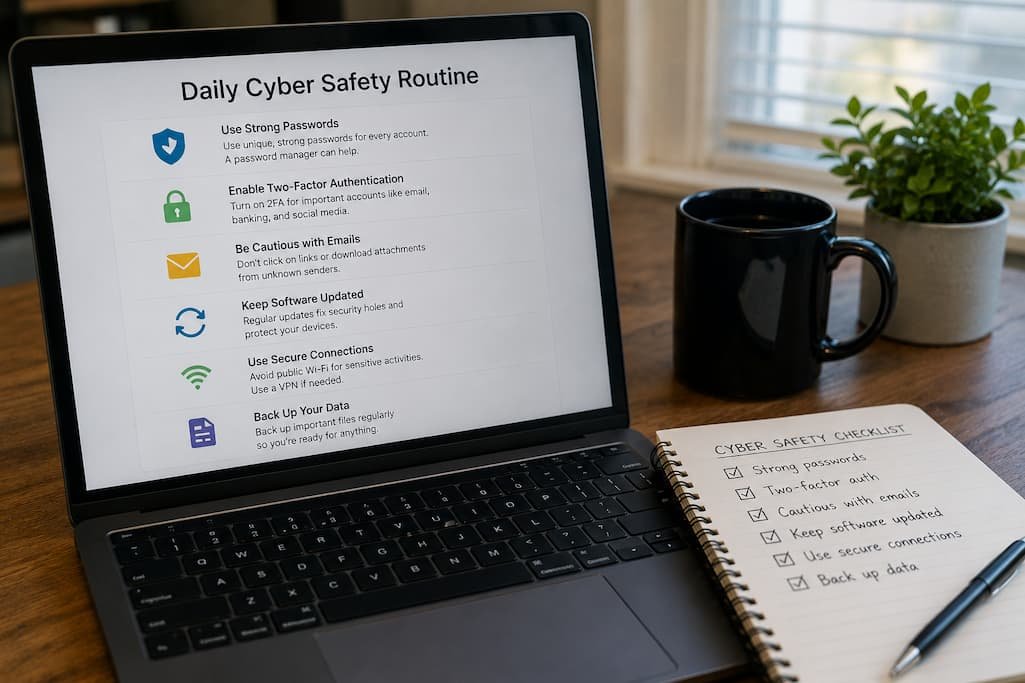
When people hear the word cybersecurity, they often imagine highly skilled attackers breaking through complex computer systems. In reality, many security incidents begin with something much simpler: a weak password, a careless click, an outdated app, or an email that seemed harmless at first glance.
That’s actually encouraging news.
If everyday habits contribute to many security problems, then better everyday habits can prevent a large number of them.
You don’t need expensive software or advanced technical knowledge to make your devices significantly safer. What matters more is consistency. A handful of small actions, repeated regularly, often provides better protection than occasionally making big changes after something has already gone wrong.
Rather than presenting cybersecurity as a long checklist you’ll never follow, let’s look at the routines that fit naturally into everyday life and genuinely make a difference.
Begin the Day by Looking for Anything That Feels Out of Place
Think about how people check their front door before leaving home. It takes only a few seconds, yet it provides reassurance that everything is as it should be.
Your devices deserve the same quick glance.
Before diving into work or opening dozens of browser tabs, take a moment to notice whether anything looks unusual.
Questions worth asking include:
- Are there login alerts you weren’t expecting?
- Have new apps appeared that you don’t remember installing?
- Is your browser opening unfamiliar pages automatically?
- Has your device suddenly become much slower than usual?
Most of the time you’ll find nothing unusual. That’s exactly what you want. But developing the habit of noticing small changes makes it easier to catch genuine problems early.
Don’t Let Software Updates Become Background Noise
It’s surprisingly common to postpone updates with the intention of installing them “later.”
Later often turns into next week.
Or next month.
While not every update fixes a critical security issue, many do. Software developers regularly patch vulnerabilities after discovering weaknesses that attackers could exploit.
One practical approach is to stop viewing updates as interruptions.
Instead, treat them as routine maintenance—no different from locking your front door before leaving the house.
If an update requires only a few minutes, installing it today is usually better than postponing it indefinitely.
Pause Before Responding to Unexpected Messages
Not every suspicious message contains obvious warning signs anymore.
A text message from your bank.
An email from your employer.
A package delivery notification.
Any of these could be legitimate—or carefully crafted to imitate the real thing.
I’ve found that creating a short pause before responding is one of the easiest habits to build. Instead of reacting immediately, ask yourself one simple question:
“Was I expecting this?”
That brief moment often changes how you evaluate what you’re looking at.
Unexpected requests deserve verification, especially if they involve passwords, payments, or personal information.
Keep Your Desktop—and Your Downloads Folder—Under Control
Cybersecurity isn’t only about blocking threats. It’s also about reducing confusion.
A cluttered desktop filled with random installers, duplicate documents, screenshots, and unknown downloads makes it harder to notice something that doesn’t belong.
Every so often, spend a few minutes cleaning up.
Delete installers you no longer need. Organize important documents. Remove downloads that served their purpose months ago.
A tidy workspace makes unusual files stand out instead of blending into the background.
Use Your Browser Like Someone Is Trying to Trick You
Web browsers have become the center of our digital lives.
We use them for banking, shopping, work, healthcare, and communication.
That also makes them one of the most common targets for online scams.
Instead of assuming every page is trustworthy, get into the habit of checking:
- The website address before signing in.
- Whether the page belongs to the organization you intended to visit.
- Whether you’re following a link from an email or typing the address yourself.
One wrong click doesn’t always cause harm.
But one careful glance often prevents it.
Don’t Ignore Small Security Warnings
People naturally become accustomed to notifications.
Eventually they begin clicking Allow, Accept, or Dismiss almost automatically.
Unfortunately, attackers count on that behavior.
Whether it’s your browser warning about an unfamiliar website or your operating system asking whether an unknown application should be allowed to make changes, slow down before approving it.
Security prompts aren’t there to interrupt your work—they’re giving you an opportunity to make an informed decision.
Restart Your Devices More Often Than You Think
Many laptops and smartphones stay powered on for weeks without a proper restart.
There’s nothing inherently wrong with that, but restarting regularly helps apply pending updates, clears temporary processes, and resolves small software issues before they become frustrating problems.
You don’t need to reboot several times a day.
For many people, restarting once every few days—or after important updates—is a practical routine.
It’s one of those habits that’s easy to overlook because it feels too simple to matter.
Separate Important Accounts From Everyday Browsing
Not every online activity deserves the same level of trust.
Checking restaurant reviews and signing in to your bank aren’t equivalent tasks.
Whenever possible, avoid mixing sensitive account management with casual browsing sessions filled with dozens of open tabs, unfamiliar websites, and browser extensions.
Some people even dedicate one browser exclusively to financial accounts and another for general internet use.
It’s not essential, but it does reduce unnecessary exposure.
Pay Attention to What You Install
Every new application requests a certain level of trust.
Before installing software, consider:
- Do I actually need it?
- Is it coming from the official developer?
- Does it request permissions that make sense?
- Has it been updated recently?
One mistake I see fairly often is people downloading utilities simply because the first search result recommended them.
Taking a minute to verify the source is time well spent.
Make Backups Part of Your Routine, Not Your Emergency Plan
Backups are rarely exciting.
Most people don’t think about them until something goes wrong.
A failed hard drive.
Accidental deletion.
A stolen laptop.
Ransomware.
Any of these situations becomes much less stressful when a recent backup already exists.
Rather than treating backups as an occasional project, schedule them so they happen automatically whenever possible.
You’ll probably forget they’re running—which is exactly the point.
Protect Your Phone With the Same Care as Your Computer
Smartphones now contain banking apps, email accounts, private photos, business conversations, authentication apps, and payment information.
Yet many people still treat phone security as an afterthought.
Simple habits include:
- Locking the screen.
- Installing operating system updates.
- Removing unused apps.
- Reviewing app permissions occasionally.
- Avoiding unknown charging accessories while traveling.
Your phone deserves the same attention you’d give your primary computer.
Be Selective About Browser Extensions
Extensions can add useful features, but each one also gains varying levels of access to your browser.
Over time it’s easy to accumulate extensions you installed years ago and completely forgot about.
Every few months, review the list.
Ask yourself:
- Do I still use this?
- Do I trust the developer?
- Does it really need access to every website I visit?
Removing unnecessary extensions simplifies your browser and reduces unnecessary risk.
End the Day With a Two-Minute Security Check
Cybersecurity doesn’t always require long maintenance sessions.
A brief review before finishing your day is often enough.
Look for:
- Downloads you no longer need.
- Browser tabs containing sensitive information.
- Files waiting to be backed up.
- Unexpected login notifications.
- Devices that should be signed out.
Two minutes today can save hours of troubleshooting later.
Habits That Sound Helpful—but Usually Aren’t
Not every popular piece of cybersecurity advice deserves equal attention.
For example, some people believe constantly changing passwords makes them safer. In reality, replacing strong, unique passwords too frequently often leads to predictable variations that are easier—not harder—to guess.
Others install multiple antivirus programs, assuming more software means more protection. In practice, running several security products simultaneously can create compatibility issues without significantly improving security.
Another common habit is downloading every “system cleaner” or “optimization” tool recommended online. Many provide little real benefit, while some introduce unnecessary software or unwanted advertisements.
Good cybersecurity is usually about making thoughtful decisions, not collecting as many security tools as possible.
A Weekly Routine Is Better Than Waiting for Problems
Instead of reacting after something feels wrong, consider setting aside a few minutes once a week for basic maintenance.
| Weekly Task | Why It Helps |
|---|---|
| Install pending updates | Closes known security vulnerabilities |
| Review new downloads | Removes unnecessary files |
| Check account login activity | Spots suspicious access early |
| Verify backups completed | Ensures recovery is possible |
| Remove unused apps or extensions | Reduces unnecessary exposure |
| Review available storage | Prevents performance and update issues |
These tasks rarely take long, but together they build a healthier and more secure computing environment.
Frequently Asked Questions
What’s the single most important daily cybersecurity habit?
Paying attention before clicking unexpected links or attachments is one of the most effective habits because many attacks begin with a single careless action.
Do I need expensive security software?
Not necessarily. Good security habits, regular updates, strong passwords, and two-factor authentication often provide greater benefits than relying solely on additional software.
How often should I restart my computer?
There isn’t a universal schedule, but restarting every few days or after major updates helps apply changes and clear temporary issues.
Is it worth checking login activity?
Yes. Many online services let you review recent sign-ins, making it easier to detect unfamiliar devices or locations before more serious problems develop.
Should I delete apps I no longer use?
Absolutely. Unused applications can become outdated over time, take up storage, and increase the number of programs you need to maintain.
Why are software updates so important?
Updates frequently include security patches that fix vulnerabilities discovered after previous versions were released.
Is cybersecurity mostly about preventing hackers?
Not entirely. It’s also about protecting your information from accidental loss, phishing, device theft, software failures, and everyday mistakes.
Conclusion
Strong cybersecurity isn’t built through one perfect setting or a single security application. It’s built through dozens of small decisions that become routine over time. Taking a few moments to verify unexpected messages, keeping software updated, managing downloads, reviewing login activity, and backing up important files creates layers of protection that work together.
Perhaps the biggest advantage of these habits is that they don’t require you to become a cybersecurity expert. Once they become part of your daily routine, they happen almost automatically. And that’s often the mark of good security—it protects you consistently without getting in the way of how you use your devices.

Daniel Kareem is a digital productivity and technology writer focused on simplifying everyday tech use. He creates practical guides on online safety, device optimization, and efficient workflows. His approach centers on clear, step-by-step advice that helps users stay organized, secure, and productive. Through straightforward and realistic content, he aims to make technology easier to understand and more useful in daily life.