
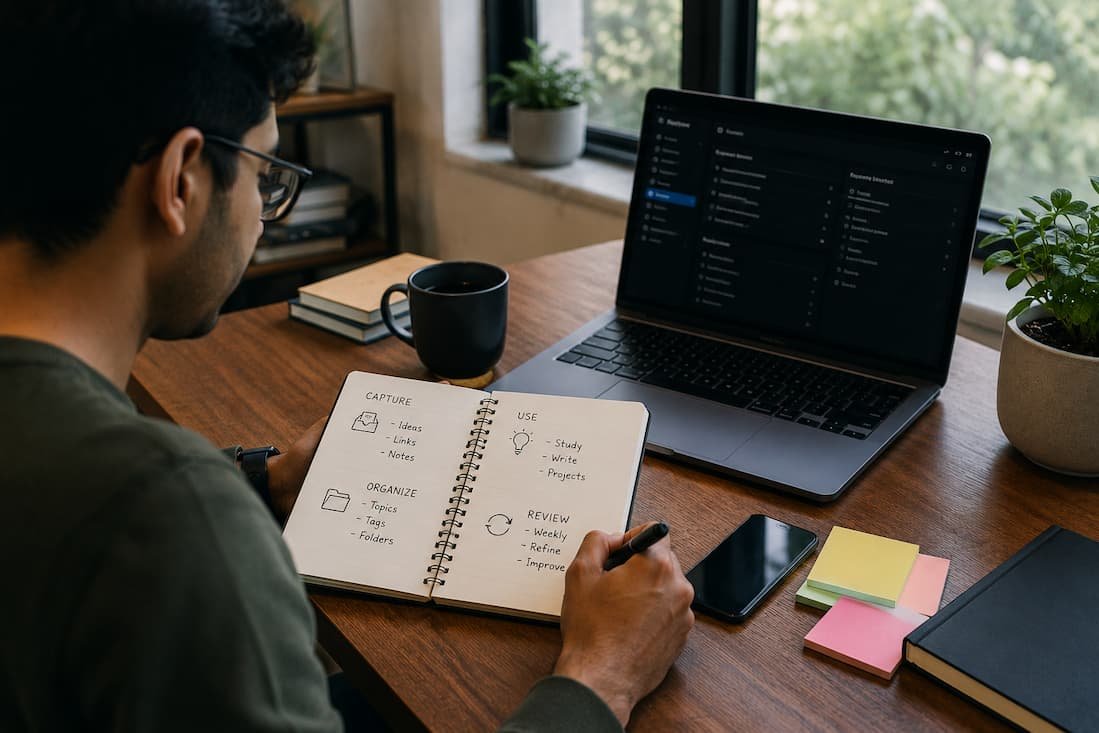
Digital notes have become the foundation of modern work, learning, research, and personal organization. Whether we capture meeting notes, save research articles, manage project plans, or create shopping lists, information quickly accumulates across smartphones, tablets, laptops, and desktop computers. Without a reliable system, valuable knowledge becomes scattered, duplicated, or forgotten.
The best note organization system is not necessarily the one with the most features. Instead, it keeps information easy to capture, simple to find, synchronized across devices, and manageable over the long term.
This guide presents a practical, future-proof approach to organizing digital notes that works regardless of which note-taking application we use.
Why Most Digital Note Systems Eventually Fail
Many people start with good intentions but gradually create thousands of disorganized notes. The common problems include:
- Saving information without categorizing it
- Creating too many notebooks or folders
- Using inconsistent titles
- Forgetting where information was stored
- Duplicating the same notes across multiple apps
- Mixing temporary information with permanent knowledge
These issues usually develop over months or years. Eventually, searching becomes difficult, productivity slows, and valuable information disappears inside a growing collection of digital clutter.
The solution is not creating more folders. The solution is building a consistent organizational framework.
Start with One Primary Note-Taking App
One of the biggest mistakes is splitting notes between multiple applications without a clear purpose.
For example:
- Shopping lists in one app
- Meeting notes in another
- Research saved in browser extensions
- Ideas inside messaging apps
- Personal journals elsewhere
Instead, choose one primary application that becomes the central location for nearly everything.
The specific app matters less than consistency. Good note applications generally provide:
- Cross-device synchronization
- Fast search
- Offline access
- Rich text formatting
- File attachments
- Tag support
- Secure cloud backups
Using one primary platform dramatically reduces the time spent searching for information.
Separate Notes into Four Main Categories
Instead of creating dozens of notebooks, keep the overall structure simple.
A highly effective organization looks like this:
Projects
Everything with a clear finish date belongs here.
Examples include:
- Website redesign
- Home renovation
- College assignment
- Product launch
- Vacation planning
Once completed, projects move into an archive.
Reference
Reference notes contain information we may need repeatedly.
Examples include:
- Software tutorials
- Recipes
- Tax documents
- Medical records
- Product manuals
- Research findings
Reference material changes slowly and remains valuable over time.
Resources
Resources are educational or inspirational materials collected for future use.
Examples include:
- Book summaries
- Learning notes
- Industry research
- Business ideas
- Coding snippets
- Marketing strategies
Unlike projects, resources rarely have deadlines.
Archive
Old notes should not remain mixed with active work.
Archive completed:
- Projects
- Old meeting notes
- Past travel plans
- Previous yearly goals
- Outdated research
Archiving keeps everyday workspaces clean without deleting useful information.
Create Better Note Titles
Search works best when notes have meaningful titles.
Avoid titles like:
- Notes
- Ideas
- Meeting
- Random
- New Document
Instead, use descriptive names.
Examples:
- Marketing Meeting – July 2026
- Python API Authentication Guide
- Weekly Grocery Price Comparison
- Client Feedback – Mobile App Design
- Europe Travel Budget Calculator
Clear titles improve search results immediately.
Use Tags Sparingly
Tags can be extremely powerful, but excessive tagging creates confusion.
Instead of assigning ten tags to every note, keep a small standardized list.
Useful examples include:
- Work
- Personal
- Finance
- Learning
- Health
- Travel
- Urgent
- Ideas
A limited tag system remains manageable even after thousands of notes.
Capture Information Immediately
The best organization system starts with fast capture.
Whenever information appears, save it immediately.
Capture:
- New ideas
- Meeting action items
- Interesting articles
- Voice memos
- Photos
- Screenshots
- Quotes
- Research links
Trying to remember information later almost always leads to forgotten details.
Modern synchronization allows quick capture from any device before returning to organize later.
Process Your Inbox Regularly
Many successful note-taking systems include a temporary inbox.
Everything enters the inbox first.
Later, during a weekly review:
- Rename notes
- Add tags
- Move into proper folders
- Delete unnecessary information
- Merge duplicate notes
This approach separates capturing from organizing.
Trying to perfectly organize every note immediately slows down productivity.
Build a Consistent Folder Structure
A simple folder hierarchy is easier to maintain than a complicated one.
Example:
Projects
│
├── Website Launch
├── Home Office Setup
├── Tax Preparation
│
Reference
│
├── Finance
├── Health
├── Technology
├── Education
│
Resources
│
├── Books
├── AI
├── Programming
├── Productivity
│
Archive
This structure remains effective whether we have 100 notes or 20,000.
Make Search Your Primary Navigation Tool
Modern note applications include extremely fast search capabilities.
Instead of remembering folders, rely on searchable content.
Search becomes much more powerful when notes contain:
- Descriptive titles
- Proper headings
- Relevant keywords
- Clear formatting
- Dates
- Names
A searchable knowledge base saves considerably more time than endlessly browsing folders.
Use Templates for Repetitive Notes
Many notes follow identical structures.
Rather than rewriting the same format repeatedly, create templates.
Useful templates include:
Meeting Notes
- Date
- Participants
- Discussion
- Decisions
- Action Items
- Deadlines
Book Summary
- Author
- Main Ideas
- Important Quotes
- Personal Thoughts
- Practical Lessons
Project Planning
- Objectives
- Tasks
- Timeline
- Risks
- Progress
- Completion Date
Templates improve consistency while reducing effort.
Keep Related Information Together
Information becomes easier to understand when related notes remain connected.
For example, a project may contain:
- Research
- Budget
- Meeting notes
- Screenshots
- Documents
- Task lists
Keeping everything together eliminates unnecessary searching across different applications.
Review Your Notes Every Week
Organization is an ongoing habit rather than a one-time task.
A weekly review often takes less than twenty minutes.
During the review:
- Delete outdated notes.
- Archive completed projects.
- Merge duplicate content.
- Update ongoing plans.
- Add missing tags.
- Rename unclear titles.
Regular maintenance prevents digital clutter from accumulating.
Avoid Saving Everything
One of the biggest productivity mistakes is collecting information without filtering its value.
Ask simple questions before saving a note:
- Will we realistically use this later?
- Is this information unique?
- Can it easily be found online again?
- Does it support an active project?
- Is it personally valuable?
Deleting unnecessary notes is just as important as creating new ones.
A smaller, high-quality knowledge base is significantly easier to maintain.
Synchronize Across Every Device
The best digital note systems work seamlessly across:
- Smartphones
- Tablets
- Windows PCs
- Macs
- Linux computers
- Web browsers
Synchronization provides several advantages:
- Continue working anywhere.
- Access information while traveling.
- Capture ideas instantly.
- Prevent version conflicts.
- Reduce dependence on a single device.
Automatic synchronization ensures the latest version of every note is always available.
Protect Important Notes
Organization also includes protecting information against loss.
Good practices include:
- Enable automatic cloud synchronization.
- Turn on two-factor authentication.
- Export important notebooks regularly.
- Keep offline backups.
- Use strong passwords.
- Encrypt sensitive information whenever possible.
A well-organized note collection loses its value if it cannot be recovered after hardware failure.
Use Rich Formatting Without Overcomplicating Notes
Simple formatting improves readability.
Use:
- Bold text for important concepts
- Bullet lists for collections
- Numbered lists for processes
- Tables for comparisons
- Checklists for tasks
- Headings for long documents
- Code blocks where appropriate
Avoid excessive colors, fonts, emojis, and decorative formatting that distract from the information itself.
Create a Personal Knowledge Base
Over time, digital notes evolve beyond simple reminders.
They become a searchable library of personal knowledge containing:
- Lessons learned
- Professional experience
- Research
- Creative ideas
- Technical documentation
- Business strategies
- Educational resources
Instead of repeatedly searching the internet for the same information, we gradually build our own trusted reference system.
This makes future learning faster because knowledge compounds over time.
Common Mistakes to Avoid
Even experienced users can undermine their productivity by falling into a few common habits.
Avoid these mistakes:
- Creating too many notebooks
- Using inconsistent naming conventions
- Forgetting weekly reviews
- Saving duplicate information
- Keeping completed projects active
- Ignoring search functionality
- Switching note apps too frequently
- Collecting information without organizing it
Small improvements in consistency produce significant long-term benefits.
The Ideal Workflow for Digital Note Organization
An effective daily workflow is surprisingly simple:
- Capture information immediately.
- Save everything into a temporary inbox.
- Organize notes during scheduled review sessions.
- Use clear titles and limited tags.
- Archive completed work.
- Rely on search instead of deep folder structures.
- Back up important information regularly.
Following this routine creates a system that remains efficient regardless of how large the note collection becomes.
Final Thoughts
The best system for organizing digital notes across all devices is built on simplicity, consistency, and regular maintenance. Rather than depending on complicated folder structures or constantly changing applications, we achieve better results by establishing clear categories, meaningful note titles, disciplined tagging, and reliable synchronization.
As our collection grows from hundreds to thousands of notes, these habits ensure information remains accessible, searchable, and genuinely useful. A well-organized digital knowledge base not only improves productivity today but also becomes an increasingly valuable resource for future projects, learning, and decision-making.

Daniel Kareem is a digital productivity and technology writer focused on simplifying everyday tech use. He creates practical guides on online safety, device optimization, and efficient workflows. His approach centers on clear, step-by-step advice that helps users stay organized, secure, and productive. Through straightforward and realistic content, he aims to make technology easier to understand and more useful in daily life.